Case study 02 · Product design
Cube Remote
A compact controller concept for adjusting light and sound in a relaxing smart-home environment, developed through CAD, prototyping, and user walkthroughs.
Problem
Smart-home controls can become fragmented across apps and devices. The project asked how a small physical controller might help an office worker quickly shape a calmer environment without navigating multiple screens.
Design
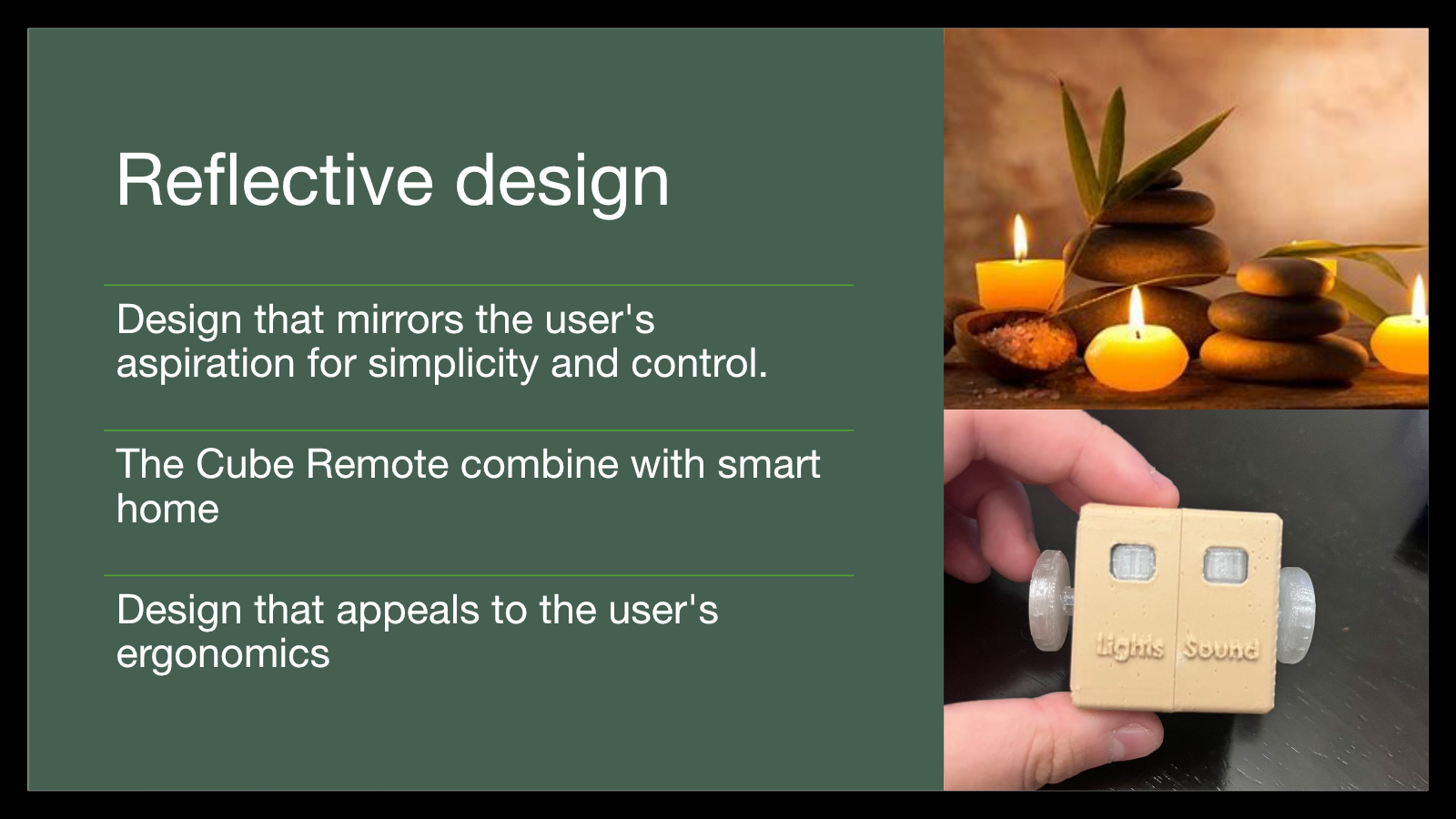
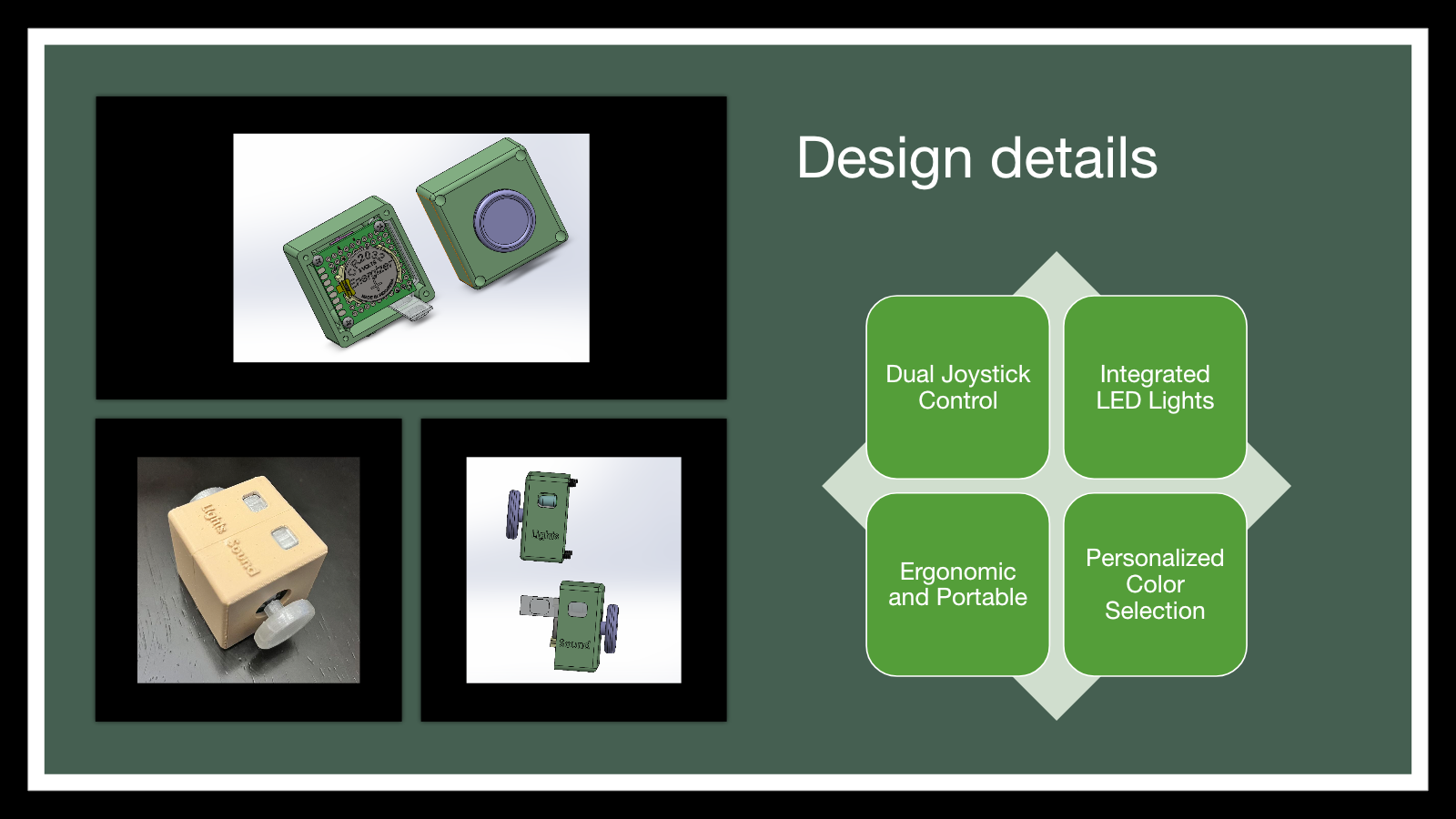
I developed a cube form with dual side joysticks and top controls for lighting and sound. The SolidWorks assembly helped me evaluate component placement, enclosure size, and how the device could separate into printable parts. A physical prototype made the interaction and scale tangible.
Interaction priorities
- Separate light and sound controls while keeping the device compact.
- Use recognizable labels and tactile control positions.
- Provide immediate visual feedback for the selected function.
- Keep the form easy to hold, orient, and use at a desk or at home.
Testing
I conducted cognitive walkthroughs with two users. Both could connect the controls with the intended tasks, while the sessions revealed where labels, button placement, and feedback needed to be clearer. The findings became a practical revision list instead of remaining presentation-only observations.
Reflection
The prototype proved the value of moving quickly from a CAD model to something a person can hold. The next iteration would simplify control hierarchy, add clearer status feedback, and test internal component constraints earlier.